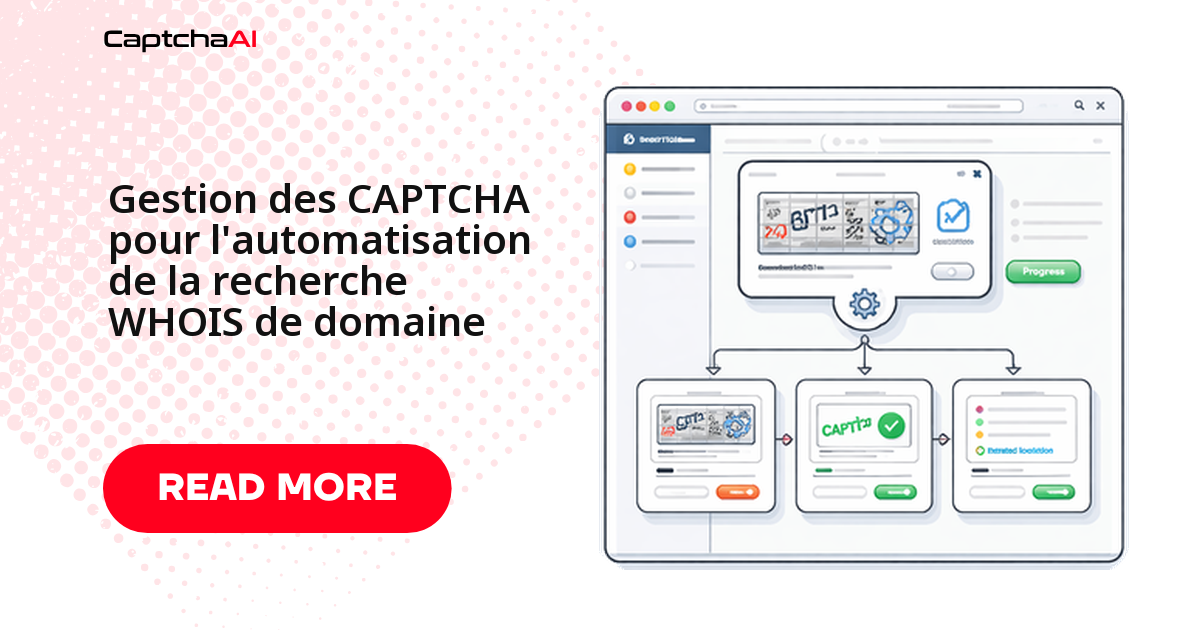
Votre script de recherche WHOIS tourne sans accroc sur les premiers domaines, puis le portail affiche un reCAPTCHA v2 et tout se bloque. La parade tient en trois temps : détecter le défi dans la réponse HTML, le faire résoudre par l'API CaptchaAI, puis renvoyer le token avec votre requête. Les portails WHOIS verrouillent les données d'enregistrement derrière du reCAPTCHA v2, des CAPTCHA d'image et une limitation de débit déclenchée au bout de quelques appels. Que vous contrôliez la disponibilité d'un nom, vérifiiez la propriété d'un domaine ou surveilliez des dates d'expiration, voici comment garder un pipeline qui ne casse pas.
Où les CAPTCHA apparaissent sur les portails WHOIS
Le type de défi dépend du portail interrogé ; repérez le schéma avant de câbler votre solveur.
| Type de portail | CAPTCHA | Seuil de déclenchement |
|---|---|---|
| ICANN WHOIS | reCAPTCHA v2 | 3 à 5 requêtes par session |
| Pages de recherche du registraire | reCAPTCHA v2/v3 | 5 à 10 requêtes par minute |
| NIR régional (APNIC, RIPE) | CAPTCHA d'image | 10 à 20 requêtes |
| Enchères de domaines WHOIS | Cloudflare Turnstile | Vérifications rapides de domaines |
| Outils WHOIS en masse | CAPTCHA personnalisé | Après la limite de l'offre gratuite |
Pour les extensions européennes, prévoyez une couche supplémentaire : les registres comme l'AFNIC (.fr) ou le RIPE NCC appliquent leurs propres quotas, et le RGPD masque une partie des données du titulaire sur les portails publics. Votre analyseur doit donc tolérer des champs vides ou une bascule vers le RDAP.
Réduire le déclenchement des CAPTCHA
Le meilleur CAPTCHA reste celui qui n'apparaît pas : espacez vos requêtes et réutilisez vos sessions avant même de brancher un solveur.
| Stratégie | Bénéfice |
|---|---|
| Mettre en cache les résultats localement | Évite de réinterroger un domaine déjà connu |
| Espacer les requêtes de 3 à 5 secondes | Réduit la fréquence des CAPTCHA |
| Alterner entre plusieurs portails WHOIS | Répartit la charge entre fournisseurs |
| Conserver la session | Maintient l'état d'autorisation après un défi résolu |
Résoudre le défi et récupérer les données WHOIS (Python)
La classe ci-dessous encapsule tout le cycle : télécharger la page, détecter le reCAPTCHA v2, envoyer le sitekey à l'API, interroger le résultat, puis rejouer la requête avec le token g-recaptcha-response.
import requests
import time
import re

class WhoisLookup:
    def __init__(self, api_key):
        self.api_key = api_key
        self.session = requests.Session()
        self.session.headers.update({
            "User-Agent": "Mozilla/5.0 (Windows NT 10.0; Win64; x64) AppleWebKit/537.36"
        })

    def lookup(self, domain, whois_url):
        """Look up WHOIS data for a domain, solving CAPTCHAs as needed."""
        response = self.session.get(whois_url, params={"domain": domain})

        if self._has_recaptcha(response.text):
            site_key = self._extract_site_key(response.text)
            token = self._solve_recaptcha(site_key, whois_url)
            response = self.session.post(whois_url, data={
                "domain": domain,
                "g-recaptcha-response": token
            })

        return self._parse_whois(response.text)

    def bulk_lookup(self, domains, whois_url, delay=3):
        """Look up WHOIS for multiple domains."""
        results = {}
        for domain in domains:
            try:
                results[domain] = self.lookup(domain, whois_url)
            except Exception as e:
                results[domain] = {"error": str(e)}
            time.sleep(delay)
        return results

    def check_availability(self, domains, whois_url):
        """Check which domains are available for registration."""
        results = self.bulk_lookup(domains, whois_url)
        available = []
        taken = []

        for domain, data in results.items():
            if data.get("error") or data.get("status") == "available":
                available.append(domain)
            else:
                taken.append(domain)

        return {"available": available, "taken": taken}

    def _has_recaptcha(self, html):
        return "g-recaptcha" in html or "recaptcha" in html.lower()

    def _extract_site_key(self, html):
        match = re.search(r'data-sitekey="([^"]+)"', html)
        if match:
            return match.group(1)
        raise ValueError("reCAPTCHA site key not found")

    def _solve_recaptcha(self, site_key, page_url):
        resp = requests.post("https://ocr.captchaai.com/in.php", data={
            "key": self.api_key,
            "method": "userrecaptcha",
            "googlekey": site_key,
            "pageurl": page_url,
            "json": 1
        })
        task_id = resp.json()["request"]

        for _ in range(60):
            time.sleep(3)
            result = requests.get("https://ocr.captchaai.com/res.php", params={
                "key": self.api_key,
                "action": "get",
                "id": task_id,
                "json": 1
            })
            data = result.json()
            if data["status"] == 1:
                return data["request"]

        raise TimeoutError("reCAPTCHA solve timed out")

    def _parse_whois(self, html):
        from bs4 import BeautifulSoup
        soup = BeautifulSoup(html, "html.parser")

        # Look for WHOIS data in pre-formatted blocks or tables
        raw_whois = soup.select_one("pre, .whois-data, #whois-result")
        if raw_whois:
            text = raw_whois.get_text()
            return self._extract_fields(text)

        return {"raw": soup.get_text()[:2000]}

    def _extract_fields(self, text):
        fields = {}
        patterns = {
            "registrar": r"Registrar:\s*(.+)",
            "created": r"Creat(?:ed|ion) Date:\s*(.+)",
            "expires": r"(?:Expir(?:y|ation)|Registry Expiry) Date:\s*(.+)",
            "updated": r"Updated Date:\s*(.+)",
            "status": r"(?:Domain )?Status:\s*(.+)",
            "nameservers": r"Name Server:\s*(.+)",
            "registrant": r"Registrant (?:Name|Organization):\s*(.+)"
        }

        for field, pattern in patterns.items():
            matches = re.findall(pattern, text, re.IGNORECASE)
            if matches:
                fields[field] = matches if len(matches) > 1 else matches[0].strip()

        return fields


# Usage
whois = WhoisLookup("YOUR_API_KEY")

# Single lookup
result = whois.lookup("example.com", "https://whois.example.com/lookup")
print(f"Registrar: {result.get('registrar')}")
print(f"Expires: {result.get('expires')}")

# Bulk availability check
domains = ["startup-name.com", "my-project.io", "cool-app.dev"]
availability = whois.check_availability(domains, "https://whois.example.com/lookup")
print(f"Available: {availability['available']}")
Surveiller les expirations de domaine (Node.js)
La même logique s'intègre dans un moniteur qui parcourt vos domaines et remonte ceux qui expirent sous 30 jours. Planifiez-le en tâche quotidienne pour ne jamais rater un renouvellement.
class DomainMonitor {
  constructor(apiKey) {
    this.apiKey = apiKey;
    this.watchList = new Map();
  }

  addDomain(domain, whoisUrl) {
    this.watchList.set(domain, { url: whoisUrl, history: [] });
  }

  async checkExpirations() {
    const expiring = [];

    for (const [domain, config] of this.watchList) {
      try {
        const data = await this.lookup(domain, config.url);
        config.history.push({ ...data, checkedAt: new Date().toISOString() });

        if (data.expires) {
          const daysLeft = Math.ceil(
            (new Date(data.expires) - new Date()) / (1000 * 60 * 60 * 24)
          );
          if (daysLeft <= 30) {
            expiring.push({ domain, daysLeft, expires: data.expires });
          }
        }
      } catch (error) {
        console.error(`Failed to check ${domain}: ${error.message}`);
      }
    }

    return expiring;
  }

  async lookup(domain, whoisUrl) {
    const response = await fetch(`${whoisUrl}?domain=${domain}`);
    const html = await response.text();

    if (html.includes('g-recaptcha')) {
      return this.solveAndLookup(domain, whoisUrl, html);
    }

    return this.parseWhois(html);
  }

  async solveAndLookup(domain, whoisUrl, html) {
    const match = html.match(/data-sitekey="([^"]+)"/);
    if (!match) throw new Error('No reCAPTCHA site key found');

    const submitResp = await fetch('https://ocr.captchaai.com/in.php', {
      method: 'POST',
      body: new URLSearchParams({
        key: this.apiKey,
        method: 'userrecaptcha',
        googlekey: match[1],
        pageurl: whoisUrl,
        json: '1'
      })
    });
    const { request: taskId } = await submitResp.json();

    for (let i = 0; i < 60; i++) {
      await new Promise(r => setTimeout(r, 3000));
      const result = await fetch(
        `https://ocr.captchaai.com/res.php?key=${this.apiKey}&action=get&id=${taskId}&json=1`
      );
      const data = await result.json();
      if (data.status === 1) {
        const response = await fetch(whoisUrl, {
          method: 'POST',
          body: new URLSearchParams({
            domain,
            'g-recaptcha-response': data.request
          })
        });
        return this.parseWhois(await response.text());
      }
    }
    throw new Error('reCAPTCHA solve timed out');
  }

  parseWhois(html) {
    const extract = (pattern) => {
      const match = html.match(pattern);
      return match ? match[1].trim() : null;
    };

    return {
      registrar: extract(/Registrar:\s*([^\n<]+)/i),
      created: extract(/Creat(?:ed|ion) Date:\s*([^\n<]+)/i),
      expires: extract(/(?:Expir(?:y|ation)|Registry Expiry) Date:\s*([^\n<]+)/i),
      status: extract(/(?:Domain )?Status:\s*([^\n<]+)/i)
    };
  }
}

// Usage
const monitor = new DomainMonitor('YOUR_API_KEY');
monitor.addDomain('example.com', 'https://whois.example.com/lookup');
monitor.addDomain('mysite.io', 'https://whois.example.com/lookup');

const expiring = await monitor.checkExpirations();
expiring.forEach(d => console.log(`${d.domain} expires in ${d.daysLeft} days`));
Collecte WHOIS et conformité RGPD
Le WHOIS expose des données à caractère personnel : nom du titulaire, contacts administratifs et techniques, adresses e-mail. Si vous automatisez ces recherches depuis l'Europe, ne conservez que les champs réellement nécessaires à votre cas d'usage, documentez la finalité de la collecte et purgez régulièrement les enregistrements obsolètes. Sur les extensions gérées depuis l'UE, une bonne partie de ces informations est déjà caviardée à la source : ne cherchez pas à reconstituer ce que le registre a volontairement masqué. La gestion des CAPTCHA ne change rien à ces obligations ; elle vous donne seulement un accès fiable aux données que le portail accepte de publier.
Dépannage
| Problème | Cause | Correctif |
|---|---|---|
| CAPTCHA dès la 3ᵉ requête | Limitation de débit du portail | Augmentez le délai, ajoutez des proxys |
| WHOIS renvoie « No match » | Rédaction RGPD ou bascule vers le RDAP | Essayez un autre portail WHOIS |
| Token reCAPTCHA rejeté | Token expiré avant la soumission | Résolvez et soumettez sous 2 minutes |
| IP bloquée | Quota de requêtes quotidien dépassé | Faites tourner des proxys résidentiels |
FAQ
Pourquoi mon token reCAPTCHA v2 est-il rejeté alors que la résolution a réussi ?
Presque toujours parce qu'il a expiré. Un token reCAPTCHA v2 reste valide environ deux minutes : renvoyez-le sur le même pageurl que celui de la résolution, sans délai entre la réponse de l'API et l'envoi.
Le WHOIS des domaines en .fr impose-t-il ses propres règles ?
Oui. L'AFNIC, registre du .fr, applique ses quotas et masque les données personnelles du titulaire au titre du RGPD. Attendez-vous à des champs vides et prévoyez une bascule vers le RDAP plutôt que de dépendre du seul texte WHOIS brut.
Quel plan CaptchaAI choisir pour du WHOIS en masse ?
Le nombre de threads dicte votre débit, pas un quota de résolutions. Pour des lots modestes, BASIC ($15/mois, 5 threads) suffit ; au-delà de quelques milliers de domaines par jour, montez vers STANDARD ($30/mois, 15 threads) pour paralléliser davantage de recherches.
Faut-il des proxys résidentiels pour automatiser le WHOIS ?
Pas toujours, mais ils aident dès que vous dépassez 50 à 200 requêtes par IP et par jour. Combinez rotation de proxys, délais de 3 à 5 secondes et résolution des CAPTCHA par CaptchaAI pour tenir la charge sans blocage d'IP.
Articles connexes
- Résoudre le callback reCAPTCHA v2 via l'API
- Gérer reCAPTCHA v2 et Turnstile sur un même site
- Le mécanisme de callback de reCAPTCHA v2
Prochaines étapes
Passez vos recherches de domaine à l'échelle : récupérez votre clé API CaptchaAI et laissez le service gérer les CAPTCHA des portails WHOIS.